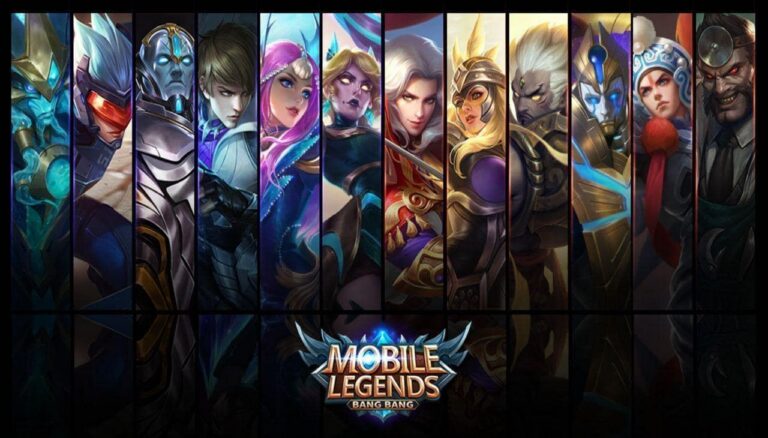




The rise of mobile gaming content has completely transformed how players interact with audiences, and one of the hottest trends right now is tiktok livestream mobile legends. With millions of users scrolling daily, TikTok has become a powerful platform not only for short videos but also for real-time streaming.
If you’re just starting out and want to share your gameplay, this guide will walk you through everything—from requirements to pro tips—so you can confidently start your first stream.
Requirements Before Starting TikTok Livestream Mobile Legends
Before jumping into tiktok livestream mobile legends, you need to make sure your account and device meet the necessary requirements. TikTok has certain conditions that must be fulfilled before the “Go Live” feature becomes available.
First, your account must have at least 1,000 followers. Without reaching this milestone, the livestream feature will remain locked. This is TikTok’s way of ensuring that users already have a basic audience before going live.
Second, your device must be capable of handling both the game and the livestream simultaneously. Mobile Legends itself is already resource-intensive, so running a livestream on top of it requires a smartphone with decent RAM and processing power.
Internet connection is another critical factor. A stable and fast connection with low latency ensures that your tiktok livestream mobile legends runs smoothly without lag or interruptions. Using Wi-Fi instead of mobile data is highly recommended for better stability.
How to Start Mobile Legends Livestream Easily
Now that you meet the requirements, it’s time to learn how to actually start your tiktok livestream mobile legends. There are two main methods you can choose from depending on your needs.
1. Direct Method via TikTok App
This is the simplest way and perfect for beginners. Open the TikTok app, tap the “+” button, and swipe to the “LIVE” option. From there, you can set a title for your stream.
To show your gameplay, you’ll need to enable screen sharing. Once activated, your Mobile Legends gameplay will be visible to viewers in real time. This method is straightforward but has limited customization options.
2. Using Third-Party Apps
For those who want more control, using third-party apps is a better choice. These apps allow you to add overlays, alerts, and better audio control.
Many professional streamers prefer this method for tiktok livestream mobile legends because it enhances the viewing experience. You can include elements like chat boxes, donation alerts, and even custom layouts.
However, this method requires a bit more setup and a stronger device to run smoothly.
Tips to Improve Your TikTok Livestream Mobile Legends Quality
Streaming isn’t just about going live—it’s about keeping your audience engaged. To make your tiktok livestream mobile legends stand out, you need to focus on both technical and content aspects.
Stable Performance is Key
Make sure no background apps are running while you stream. This helps your device focus on delivering smooth gameplay and streaming performance.
Also, consider lowering your in-game graphics settings slightly if you experience lag. A smooth stream is always better than high graphics with stuttering.
Engage With Your Audience
One of the biggest advantages of tiktok livestream mobile legends is real-time interaction. Always read and respond to comments. This builds a stronger connection with your viewers and encourages them to stay longer.
Simple actions like greeting new viewers or answering questions can significantly boost engagement.
Consistency Builds Growth
Going live once isn’t enough. You need a consistent schedule so your audience knows when to tune in. Whether it’s daily or a few times a week, consistency is key to growing your channel.
Optimize Your Content Strategy
Don’t just play—entertain. Add commentary, share tips, or react to in-game moments. This makes your tiktok livestream mobile legends more enjoyable to watch compared to silent gameplay.
You can also experiment with different content styles, such as ranked matches, hero tutorials, or funny moments.
Why TikTok is Perfect for Mobile Legends Streaming
TikTok’s algorithm gives even small creators a chance to go viral. This makes tiktok livestream mobile legends an excellent opportunity for beginners who want to build an audience quickly.
Unlike traditional platforms, TikTok pushes content based on engagement rather than follower count alone. This means your livestream can reach new viewers even if you’re just starting out.
Additionally, TikTok’s audience is highly interactive. Viewers are more likely to comment, like, and share your stream, helping you grow faster.
Turn Your Gameplay Into Opportunities
As your audience grows, your tiktok livestream mobile legends can become more than just a hobby. Many creators use livestreaming as a way to build personal branding and even generate income.
From receiving virtual gifts to collaborating with brands, the possibilities are endless. The key is to stay consistent and continuously improve your content quality.
And if you want to enhance your gameplay experience, don’t forget to top up diamond Mobile Legends di VocaGame. With enough diamonds, you can unlock skins, heroes, and features that make your stream even more exciting for viewers.